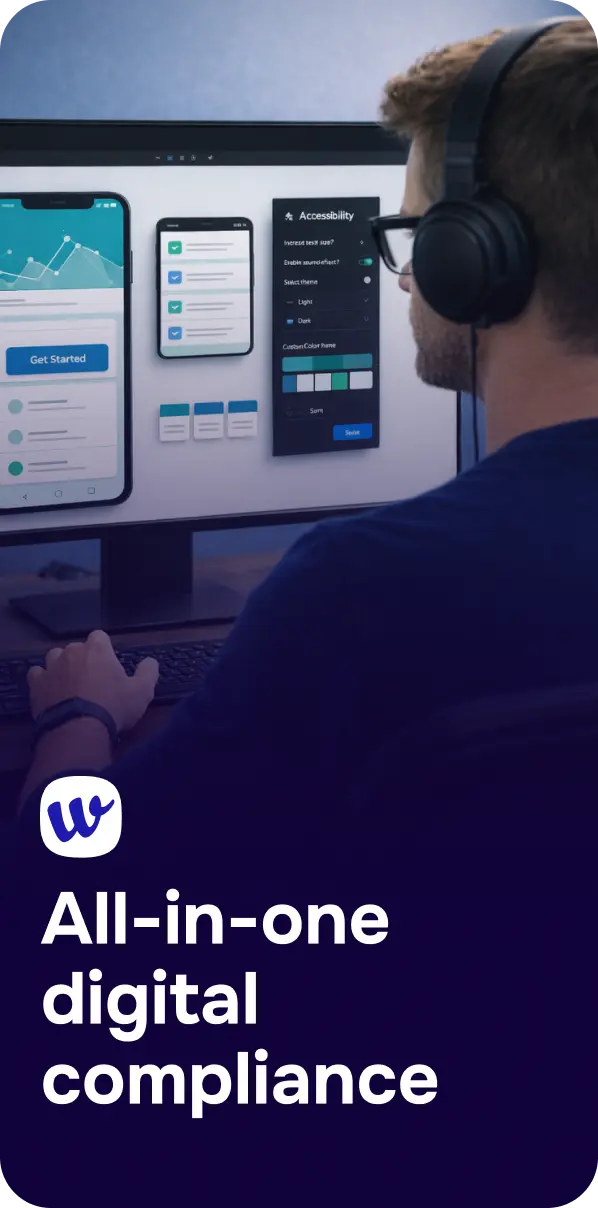
For enterprise teams, accessibility work rarely lives in one place. Issues can appear across websites, mobile apps, design files, content updates, and release cycles. That is why an accessibility management dashboard matters: it gives compliance, product, design, and engineering teams a central place to understand risk, track progress, and coordinate action.
Instead of relying on scattered audits, spreadsheets, and one-off fixes, a dashboard approach helps organizations move toward a more continuous accessibility process. For businesses managing multiple digital properties, that shift can make accessibility easier to operationalize and easier to report on internally.
In this guide, we will look at what an enterprise accessibility management dashboard is, what capabilities matter most, and how it supports ongoing compliance readiness across large digital environments.

An accessibility management dashboard is a centralized interface that helps teams oversee accessibility status across digital assets. In an enterprise setting, that can include public websites, mobile apps, design systems, landing pages, and other customer-facing experiences.
Its role is not just to list issues. A useful dashboard helps teams:
For large organizations, accessibility is often an ongoing operational challenge rather than a one-time project. A dashboard supports that reality by turning accessibility into a managed workflow instead of a periodic review.
As digital estates grow, accessibility work becomes harder to manage manually. Different teams may own different properties, release schedules can vary, and issues may be introduced after every content or code change. Without a central view, organizations can struggle to answer basic questions such as:
A centralized dashboard helps reduce that fragmentation. It creates a shared source of truth for accessibility status and gives leadership, compliance teams, and delivery teams a clearer picture of what is happening.

Not every dashboard is built for enterprise accessibility operations. The most useful platforms support both day-to-day execution and broader compliance management.
A strong dashboard should bring accessibility findings from different digital properties into one place. That visibility helps teams compare status across websites, apps, and other channels without switching between disconnected tools.
Accessibility is not static. Enterprise teams benefit from dashboards connected to ongoing monitoring so they can detect newly introduced issues and track changes over time, rather than relying only on occasional point-in-time audits.
Large organizations can face a high volume of findings. A dashboard should help teams sort and prioritize issues so remediation work is more manageable. That may include grouping issues by severity, affected asset, or workflow stage.
Visibility alone is not enough. The dashboard should help teams move from detection to action by making issues easier to understand and route to the right owners. This becomes especially important when accessibility work spans developers, designers, and content teams.
Enterprise accessibility programs often need clear records for internal governance, procurement support, or broader compliance processes. Dashboards that support reporting make it easier to communicate progress and maintain oversight.
For organizations that also need formal accessibility documentation, services such as VPAT and ACR support can complement dashboard-driven monitoring and remediation workflows.
An enterprise dashboard works best when it is part of a larger accessibility program. It should not be viewed as a standalone screen, but as the operational center of a broader process that includes auditing, testing, remediation, monitoring, and reporting.
Many teams start with audits to identify accessibility barriers. The dashboard then helps organize those findings into an actionable queue, making it easier to assign work and follow progress over time.
Accessibility expectations evolve, and digital properties change constantly. A dashboard supports readiness by helping teams monitor whether accessibility work is being maintained rather than deferred.
Enterprise accessibility programs often break down when information stays siloed. A dashboard can help align stakeholders by giving each team a common view of current issues, progress, and outstanding risk.
This is also where AI-supported workflows can help reduce operational friction. If you are exploring how automation can support ongoing accessibility work, see AI Agents Are Here: How Autonomous AI Will Quietly Take Over Your Accessibility To-Do List.
Not every organization needs the same setup. Before adopting an accessibility management dashboard, enterprise teams should evaluate how well it fits their structure, digital footprint, and compliance goals.
Consider whether the dashboard supports the environments your organization actually manages, such as websites, mobile apps, and design-stage workflows.
The dashboard should be understandable for different stakeholders, not just specialists. Compliance teams may need high-level oversight, while technical teams need actionable findings.
It is important to assess whether the dashboard supports continuous monitoring and practical remediation workflows, not just issue detection.
Enterprise teams often need records they can use for governance, reviews, and accessibility program updates. Reporting functionality should match those needs.
Some businesses prefer to reduce tool sprawl by managing accessibility alongside other digital compliance functions. In that case, it can be useful to evaluate whether the platform also supports related needs such as legal documents, consent, and transparency workflows. Corpowid’s broader approach is outlined in Inside the 4-in-1 Widget: Accessibility, Consent, Legal and Company Info in One Script.

When accessibility management is centralized, teams can work more consistently and with better visibility. While the exact outcomes depend on implementation, a dashboard-led approach can support several practical benefits.
An enterprise accessibility management dashboard is not just a reporting layer. It is a practical way to bring structure to accessibility operations across complex digital environments. For organizations managing multiple teams, properties, and compliance responsibilities, a centralized dashboard can help turn accessibility from a reactive task into a more continuous and manageable program.
The most effective approach is one that combines visibility, ongoing monitoring, remediation support, and reporting in a way that fits enterprise workflows. When those elements come together, teams are better equipped to maintain accessibility over time rather than chasing issues after they appear.
It gives teams a centralized place to view accessibility findings, monitor changes, prioritize remediation, and support reporting across digital properties.
It can be used by compliance teams, accessibility specialists, developers, designers, QA teams, product managers, and digital leaders who need visibility into accessibility work.
No. An audit identifies issues at a point in time, while a dashboard helps teams manage accessibility work continuously by tracking findings, progress, and ongoing monitoring.
Digital properties change frequently. Continuous monitoring helps teams identify new issues as content, code, and integrations evolve over time.
Yes. A dashboard can help centralize findings and progress data, making it easier to support internal reporting and broader compliance workflows.
Mobile app accessibility remediation in source code focuses on fixing barriers where they start: inside the app itself. This guide explains why code-level remediation matters, what teams should fix first, and how ongoing testing and monitoring support stronger accessibility outcomes.
Corpowid has been recognized by Gartner, a leading global research and advisory firm, for our innovation and performance in digital accessibility. These badges reflect our commitment to creating inclusive, AI-powered web experiences.


 TR