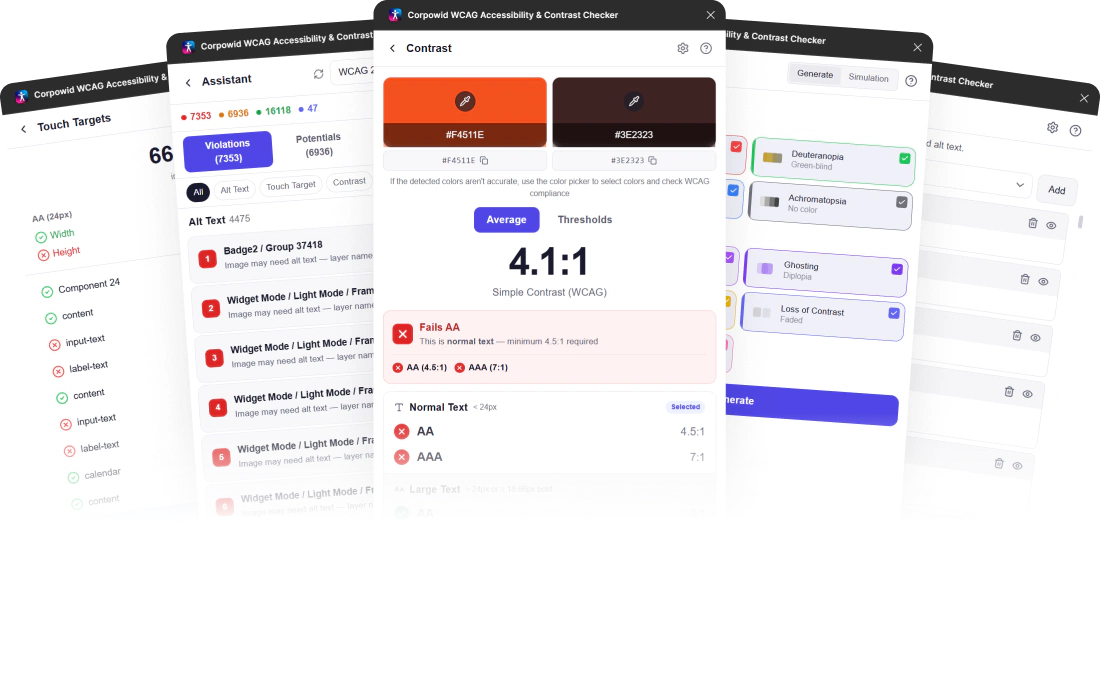
Corpowid’s Figma Accessibility Plugin empowers designers to eliminate nearly all accessibility issues at the design stage—before they ever reach development.
With AI‑powered assistance and best‑in‑class manual inspection tools, designers can identify and fix accessibility problems in seconds.
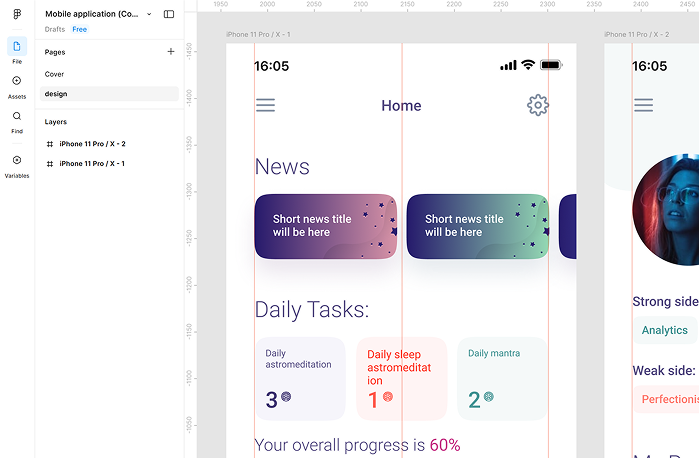
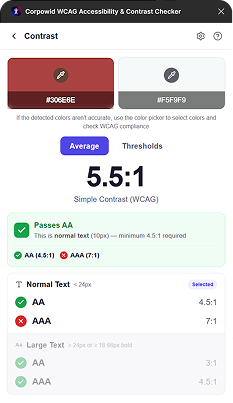
It’s like having an accessibility expert sitting next to you while you design in Figma. The tool scans your frames, finds issues, and gives you quick fixes on the spot. It also helps you catch and solve problems before they move into the coding stage, saving a lot of time and rework later. You can make your designs accessible early on, without slowing down your workflow.
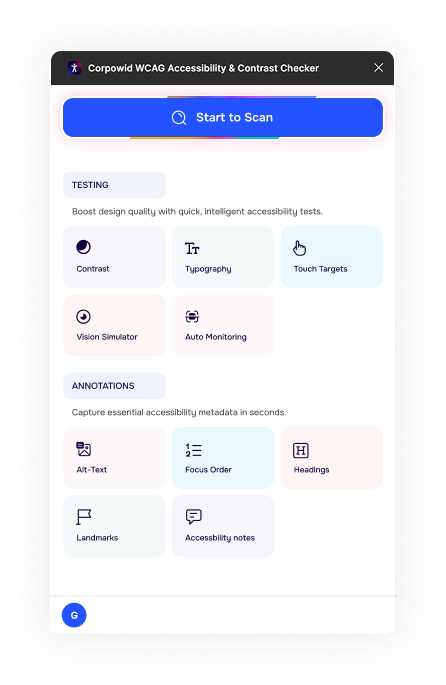

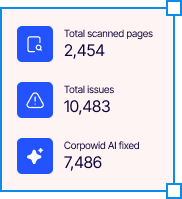


Many accessibility issues originate before a single line of code is written. Corpowid’s Figma plugin scans your designs instantly and gives easy-to-follow recommendations, helping you fix problems early—even if you're not an accessibility expert.
Start to Scan


Select your WCAG standard (2.0 / 2.1 / 2.2) and conformance level (A–AA–AAA), then detect every issue instantly.
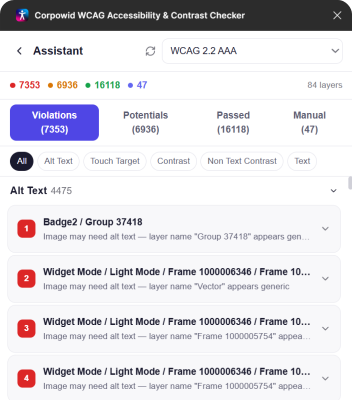
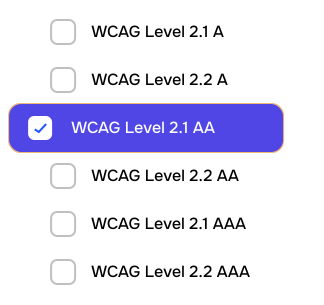
The Corpowid Figma plugin now allows you to customize your audit scope by selecting specific WCAG versions (2.1 or 2.2) and conformance levels (A, AA, or AAA) directly from a dropdown menu. Instead of running a blanket scan, your team can focus exclusively on the specific criteria required for your current sprint or legal obligations.
This targeted approach eliminates noise, helping designers resolve relevant issues faster without being overwhelmed by unnecessary data. By aligning the tool with your internal goals, you ensure that every design iteration is both efficient and compliant.
The Corpowid Figma plugin now allows you to customize your audit scope by selecting specific WCAG versions (2.1 or 2.2) and conformance levels (A, AA, or AAA) directly from a dropdown menu. Instead of running a blanket scan, your team can focus exclusively on the specific criteria required for your current sprint or legal obligations.
This targeted approach eliminates noise, helping designers resolve relevant issues faster without being overwhelmed by unnecessary data. By aligning the tool with your internal goals, you ensure that every design iteration is both efficient and compliant.
| Free $0 /month | Growth $39 /month | Enterprise $99 /month | Custom Contact us | |
|---|---|---|---|---|
| End-user accessibility widget |  |
|
|
|
| Page-based scan & live score | |
|
|
|
| Continuous full-site monitoring |  |
|
|
|
| Alt text manager | |
|
|
|
| Cookie manager | |
|
|
|
| Technical SEO audit | |
|
|
|
| Chrome accessibility toolkit | |
|
|
|
| Figma accessibility plugin | |
|
|
|
| Team Management | |
|
|
|
| Usage Analytics | |
|
|
|
| Mobile app accessibility IOS/Android | |
|
|
|
| AI Fixer | |
|
|
|
| AI Alt Text Generator | |
|
|
|
| Schema Markup Manager | |
|
|
|
| Meta Tag Manager | |
|
|
|
| Document Accessibility Remediation | |
|
|
|
| AI Video Subtitle and Caption Manager | |
|
|
|
| Tailored accessibility strategy | |
|
|
|
| Dedicated expert consultation | |
|
|
|
| Email support | |
|
|
|
| Domain | Single Domain | Single Domain | Single Domain | Unlimited domains · SLA |
| Tier | Up to 300K Page Views | Up to 500k Page Views | Up to 1M Page Views | Unlimited |
| Get Started | Get Started | Get Started | Contact Us |
Figma WCAG accessibility checker
Corpowid's Figma plugin is an all-in-one accessibility assistant that helps designers spot and fix accessibility issues directly inside Figma — without slowing down your workflow. It checks contrast, focus order, alt text, typography, and more, bringing compliance into the design stage.
Not at all. The plugin explains issues in simple language and gives practical suggestions, so even if you're new to accessibility you can still produce fully inclusive designs.
With one click, the plugin scans your entire Figma file, highlights potential accessibility issues (like low contrast or missing alt text), and offers instant fixes — saving hours of manual review.
Yes. All checks and suggestions follow WCAG 2.1+ standards, helping you design with global accessibility best practices in mind.
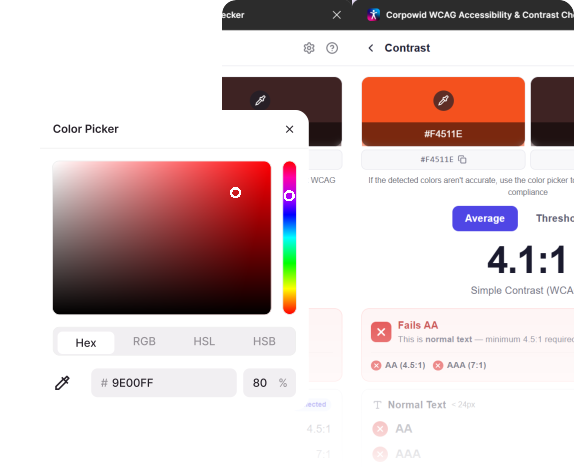
Absolutely. The contrast checker instantly evaluates your color combinations and suggests WCAG-compliant alternatives, including options from your own design system.
Yes. Writing alt text can be tricky, so the plugin gives smart suggestions to help you describe images clearly and accurately.
Yes. The vision simulator lets you preview your design through various visual conditions such as color blindness, low contrast sensitivity, and blurred vision — so you can make more inclusive design decisions.
Yes. The plugin checks touch-target sizes and interaction patterns to ensure your mobile experiences are easy and comfortable for everyone.
Not at all. It's useful for designers, developers, QA teams, and product managers — anyone involved in creating digital experiences can benefit from quick accessibility insights.
The plugin is part of a Corpowid enterprise account. If your team isn't onboard yet, you can reach out to explore plans or request a demo.
You can explore Corpowid's full suite of accessibility and compliance solutions at www.corpowid.ai, or request access through our team anytime.
Corpowid has been recognized by Gartner, a leading global research and advisory firm, for our innovation and performance in digital accessibility. These badges reflect our commitment to creating inclusive, AI-powered web experiences.









 TR
TR