We help teams test, fix, and optimize mobile accessibility faster than ever.
Test mobile app accessibility effortlessly with Corpowid AI. Run automated and manual WCAG tests on any iOS or Android app—directly from the App Store, Play Store, or via SDK, with zero setup.
Instantly detect accessibility issues, get clear compliance reports, and ensure every user can access your mobile experience.


Accessibility Compliance for Any Mobile Tech Stack
Book a demo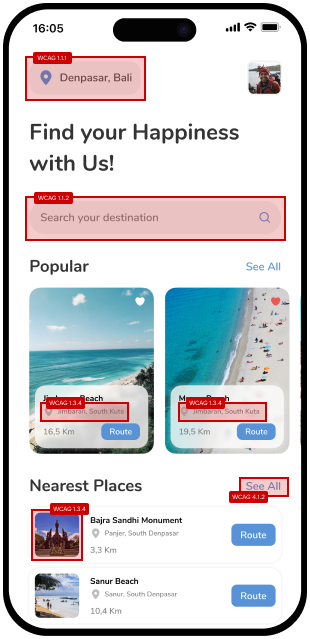

Ensure your mobile experiences meet global accessibility standards without slowing down your workflow. With Corpowid AI, your entire team can run instant, no-code tests for WCAG 2.1 / 2.2, EN 301 549, the European Accessibility Act (EAA), and ADA & Section 508 compliance.
No complex integrations, no installation, and no technical hurdles—just open the app and start testing live mobile environments immediately. Built specifically for mobile-native patterns, Corpowid AI accurately checks orientation behavior, complex gesture interactions, and touch controls. It is designed to be intuitively simple for beginners, yet deep and powerful enough for compliance experts.
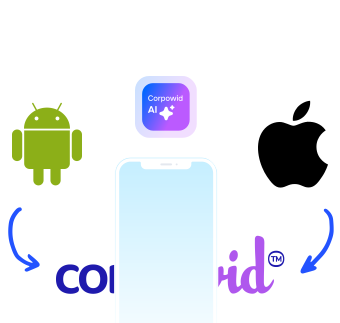
Stop juggling separate accessibility tools for your Android and iOS apps. With Corpowid AI, you get one unified testing workflow—delivering consistent reports, terminology, and WCAG results across both platforms. One process, one standard, one clear view of your mobile accessibility.
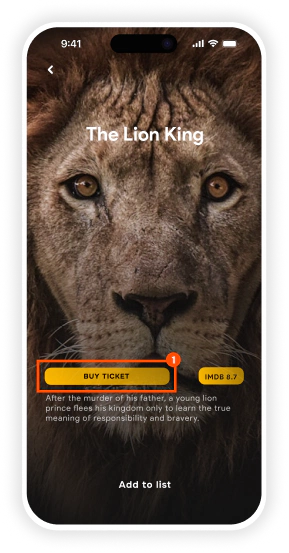
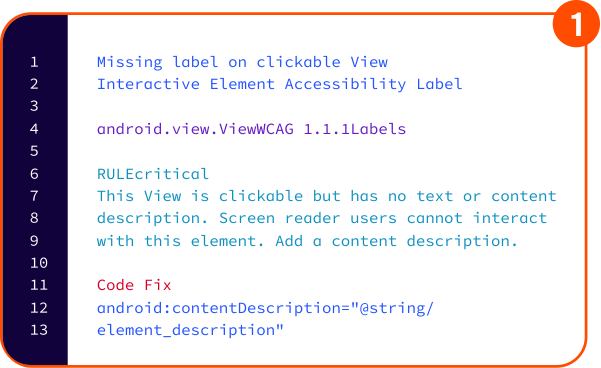
Empower your team to find mobile accessibility issues instantly with Corpowid AI’s no-code testing tool. No setup is required—just open the app to run live automated scans, manual expert reviews, screen reader testing, keyboard navigation checks, and real user flow testing.
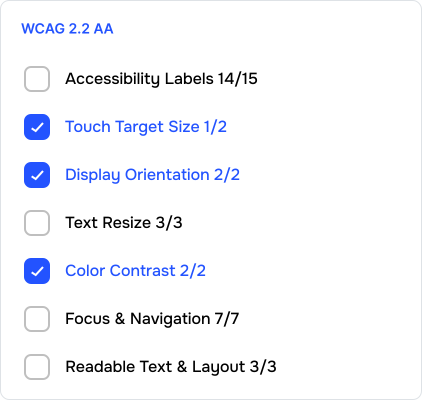
Corpowid AI gives you full control over your audits. Instead of scanning the entire app, you can target specific compliance levels (A, AA, AAA) or focus on precise elements like ARIA labels, touch-target sizes, alt text, headings, orientation, and gesture controls. This makes it easy for developers, QA, and designers to fix issues quickly while staying fully compliant with global standards like WCAG 2.1/2.2, EN 301 549, the European Accessibility Act (EAA), and ADA & Section 508.
Register interest
First, choose the platform you want to test — iOS or Android. Then select whether you prefer automatic or manual accessibility checking. You can start testing instantly by connecting through the SDK or by selecting your application directly from the App Store or Google Play.
Next, pick the WCAG standard and the compliance level you want to test against, such as A, AA, or AAA. After your selections are complete, Corpowid AI automatically scans your application and displays the results in a powerful, real‑time dashboard, giving you full visibility into accessibility issues across your mobile app.

Accessibility scan for your app

Automatic & manual WCAG checks

Helps your team fix issues

Generates detailed reports


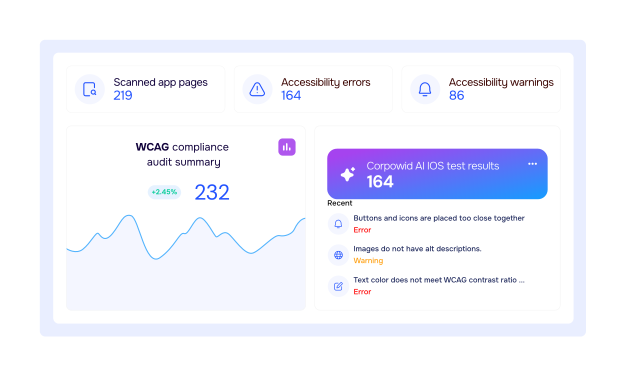
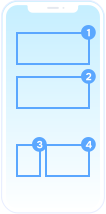


Automatically uncover issues across your app screens with Corpowid AI, the premier choice among accessibility testing tools for mobile. Our platform shows you exactly where errors originate and provides clear steps to fix them, organized by issue type and WCAG guideline. Whether you are running a routine check or a full app accessibility compliance audit, you get precise, actionable insights on both emulators and real devices. Our comprehensive mobile accessibility testing environment helps you achieve total EAA compliance for mobile apps and streamline ADA compliance for mobile applications. And when you’re ready to share your results, you can instantly export a clean, professional PDF accessibility report directly from your dashboard—perfect for audits, teams, and documentation.
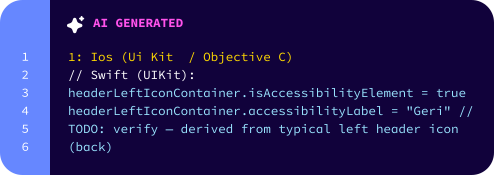
Making your mobile app accessible shouldn’t be complicated. With Corpowid’s AI, every issue we detect comes with a simple, easy‑to-follow suggestion that shows how to fix it—no technical complexity, no guesswork.
Our platform automatically adjusts its recommendations based on the technology your app uses, whether it's Android, iOS, Flutter, React Native, or other common frameworks. Your team gets the right guidance at the right moment, in the format they need.
Corpowid makes accessibility a smooth, efficient process—helping your team work faster and deliver a more inclusive mobile experience for everyone.
Request a Demo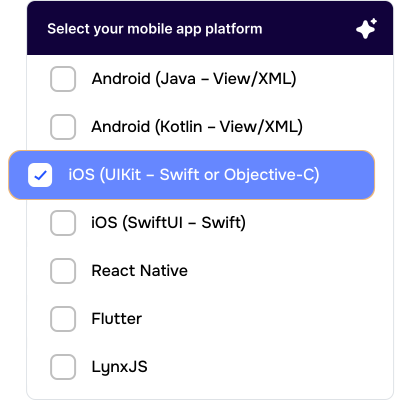
| Free $0 /month | Growth $39 /month | Enterprise $99 /month | Custom Contact us | |
|---|---|---|---|---|
| End-user accessibility widget |  |
|
|
|
| Page-based scan & live score | |
|
|
|
| Continuous full-site monitoring |  |
|
|
|
| Alt text manager | |
|
|
|
| Cookie manager | |
|
|
|
| Technical SEO audit | |
|
|
|
| Chrome accessibility toolkit | |
|
|
|
| Figma accessibility plugin | |
|
|
|
| Team Management | |
|
|
|
| Usage Analytics | |
|
|
|
| Mobile app accessibility IOS/Android | |
|
|
|
| AI Fixer | |
|
|
|
| AI Alt Text Generator | |
|
|
|
| Schema Markup Manager | |
|
|
|
| Meta Tag Manager | |
|
|
|
| Document Accessibility Remediation | |
|
|
|
| AI Video Subtitle and Caption Manager | |
|
|
|
| Tailored accessibility strategy | |
|
|
|
| Dedicated expert consultation | |
|
|
|
| Email support | |
|
|
|
| Domain | Single Domain | Single Domain | Single Domain | Unlimited domains · SLA |
| Tier | Up to 300K Page Views | Up to 500k Page Views | Up to 1M Page Views | Unlimited |
| Get Started | Get Started | Get Started | Contact Us |
Find the information you need about mobile app accessibility
Corpowid AI is an all-in-one mobile accessibility testing platform for both iOS and Android applications. It automatically detects accessibility issues, validates WCAG compliance levels (A, AA, AAA), and generates developer-ready reports — without writing any code. Designed for teams that need fast, accurate, and scalable mobile accessibility checks, it works on real devices, emulators, and app store sources.
Corpowid AI natively supports iOS (iPhone, iPad) and Android (phones, tablets). You can test apps on real physical devices, virtual devices (emulators/simulators), app files (APK, AAB, IPA), and App Store or Google Play links. This cross-platform support ensures consistent WCAG reporting and unified workflows across all devices.
You can begin in minutes by uploading your APK/IPA or selecting your app directly from Google Play or the App Store. Then choose the platform (iOS or Android), test type (automatic or manual), and WCAG level (A, AA, or AAA). Corpowid AI instantly scans your application and displays results in a real-time dashboard.
Yes. Corpowid AI is built around WCAG guidelines and lets you validate WCAG 2.1 and 2.2 requirements, select compliance levels A, AA, and AAA, filter issues by WCAG success criteria, and generate WCAG-mapped reports for documentation and audits. Our WCAG Level Picker ensures teams test only against the compliance level they need — saving time and reducing noise.
Absolutely. Instead of scanning the full app, you can run targeted tests on ARIA labels, touch-target sizes, alt text for images, color contrast, headings and structure, focus order, dynamic elements, interactive controls, and WCAG-specific components. This makes quick validation and debugging easy — ideal for developers and QA teams working in sprints.
Corpowid AI supports two modes: Automatic Tests (AI-powered scanning that detects issues across screens, layouts, and UI components) and Manual Tests (built-in tools that let human evaluators perform deeper checks). Both modes work seamlessly on iOS and Android.
No. Corpowid AI lets you scan apps for WCAG compliance without writing a single line of code. You can upload an app file, connect via store link, or run real-device testing instantly.
Corpowid AI provides one unified workflow for Android and iOS, consistent terminology and WCAG reporting, support for both real devices and emulators, scanning from APK, Play Store, or App Store, automatic and manual testing modes, highly detailed compliance reports, focused component-level scanning, and real-time dashboard analytics — all in one place, as part of Corpowid's end-to-end accessibility service.
Corpowid AI produces developer-ready, audit-friendly reports including issue descriptions, technical explanations, WCAG success-criteria mapping, severity and impact ratings, screenshots of issue locations, code-level fix recommendations, screen-by-screen breakdowns, and exportable PDFs and shareable links. These help teams resolve issues faster and maintain long-term accessibility compliance.
Yes. Corpowid AI not only detects issues, it guides your team on how to fix them. Each issue includes root-cause analysis, a WCAG guideline explanation, code examples (when relevant), and step-by-step remediation instructions, so developers, QA testers, and designers can resolve problems efficiently.
Yes. Corpowid AI supports Android emulators, iOS simulators, real iOS/Android devices, and cloud-based testing environments. Testing on multiple device types ensures reliable, cross-platform accessibility coverage.
Corpowid AI is ideal for developers wanting quick validation, QA teams needing reliable workflows, designers checking UI accessibility, accessibility specialists preparing compliance reports, product managers ensuring WCAG alignment, and enterprises aiming for inclusive digital experiences.
Yes. You can export your full mobile accessibility report directly from your dashboard. Our export service lets you download all insights, detected issues, and recommendations in a structured, share-ready format — easy to include in audits, share with your team, or add to internal documentation.
Corpowid has been recognized by Gartner, a leading global research and advisory firm, for our innovation and performance in digital accessibility. These badges reflect our commitment to creating inclusive, AI-powered web experiences.









 TR
TR