An accessibility user testing report helps teams move beyond automated scans and understand how real people experience a website, app, or digital product. While automated tools are useful for finding technical issues, they do not always show how barriers affect actual tasks such as navigation, form completion, checkout, or content consumption.
When user testing findings are paired with video evidence, the report becomes easier to understand, easier to share internally, and much more useful for prioritizing remediation. Product, compliance, legal, design, and engineering teams can see the barrier in context rather than interpreting a line item in a spreadsheet.
For organizations working toward WCAG 2.2, ADA, EAA, Section 508, or broader accessibility readiness, this kind of reporting can support more informed decision-making and stronger documentation.

An accessibility user testing report is a structured document that captures issues encountered by users with disabilities as they complete defined tasks on a digital experience. Unlike a purely automated audit, it focuses on real usage patterns and practical obstacles.
These reports are often used to:
In practice, a strong report translates observed user friction into findings that technical and non-technical stakeholders can act on.
Automated accessibility testing can quickly detect many code-level issues, but it does not fully represent user experience. A page may pass certain automated checks and still be difficult or impossible to use with a screen reader, keyboard-only navigation, magnification, or other assistive technologies.
User testing adds an important layer by showing:
That is why many accessibility programs combine automated auditing, expert review, and user-centered testing rather than relying on one method alone.
Video evidence gives stakeholders direct visibility into the issue. Instead of reading a short summary such as “button is not announced correctly,” teams can watch the user attempt the task, hear the assistive technology output when appropriate, and observe where the experience breaks down.
This can improve the usefulness of the report in several ways.
Video clips help confirm that a reported issue is not theoretical. They show the exact interaction, the expected task, and the point of failure. This reduces ambiguity and makes triage faster for engineering and QA teams.
When teams can see how a barrier affects login, search, checkout, onboarding, or support flows, they can prioritize fixes based on user impact rather than technical severity alone.
Accessibility work often involves compliance, design, product, development, and leadership. Video evidence creates a shared understanding across those groups. It can be especially helpful when non-technical stakeholders need to understand why a fix matters.
Video-backed findings can serve as a baseline for retesting after remediation. Teams can compare the original barrier with the updated experience and verify whether the issue has been resolved in practice.
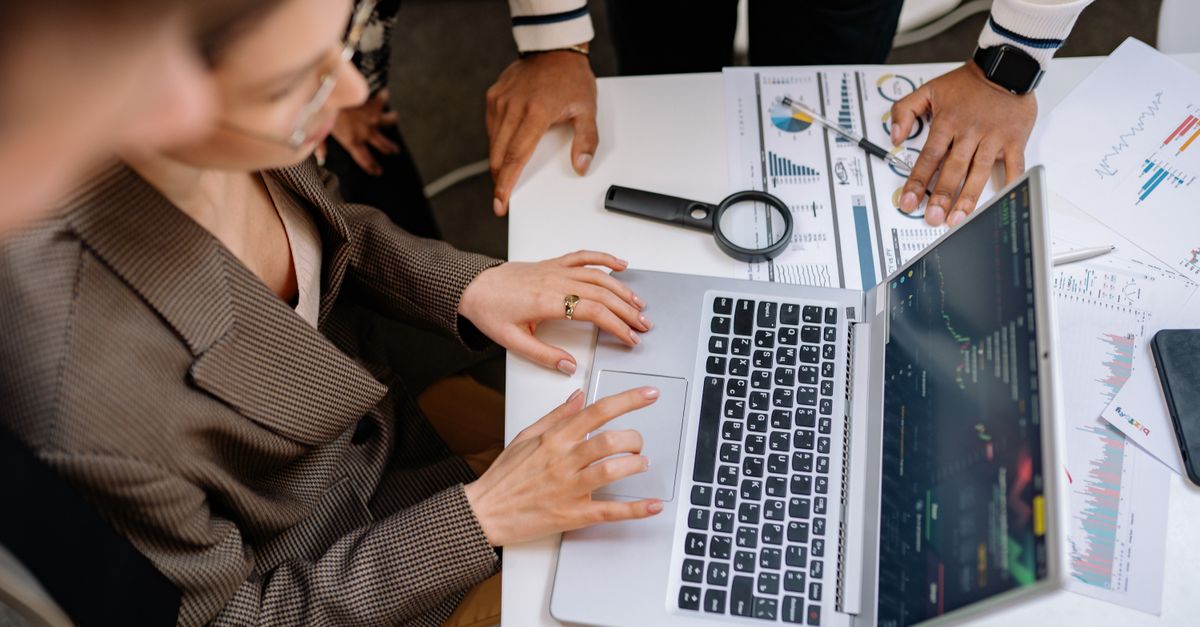
Not every report delivers the same level of value. The most useful reports are structured, reproducible, and tied to meaningful tasks and accessibility standards.
The report should explain what was tested, including the relevant pages, flows, devices, browsers, environments, and assistive technologies used during testing. It should also define the user tasks that were part of the evaluation.
Rather than listing isolated defects only, the report should show how issues affect complete journeys. Examples may include account creation, form submission, document access, product selection, or completing a transaction.
Each finding should describe the issue clearly, including what happened, where it occurred, and why it created difficulty. The wording should be specific enough for technical teams to reproduce the issue.
Relevant clips or recordings should support major findings where appropriate. The goal is not to overwhelm teams with raw footage, but to provide concise evidence that illustrates the barrier and its impact.
A useful report helps teams distinguish between issues that create minor friction and issues that block task completion. This supports better remediation planning.
Where relevant, findings may be mapped to WCAG success criteria or other applicable frameworks. This helps teams connect user experience problems to formal compliance requirements.
The report should not stop at problem identification. It should help teams understand what to fix first, what to validate after remediation, and where additional manual or automated testing may be needed.
For organizations preparing broader accessibility documentation, user-centered findings can complement structured audit and reporting work such as ongoing accessibility task management and formal conformance support.
User testing reports are especially valuable when a business needs more than a surface-level accessibility check. They are often most helpful in the following situations.
Testing with real users before launch can reveal barriers that internal teams and automated tools may miss. This is especially important for critical customer journeys.
If accessibility fixes have already been implemented, user testing can help validate whether those changes actually improved usability for people using assistive technologies.
Organizations preparing conformance documentation often need stronger evidence than automated scans alone. User testing can add practical insight to manual accessibility testing and reporting.
If users report trouble accessing forms, navigation, media, or transactions, a user testing report can help identify the root cause and show where the experience breaks down.
Accessibility is not a one-time project. Teams that monitor, test, remediate, and retest over time are usually better positioned to maintain readiness as websites, apps, and content evolve. Corpowid’s broader approach to accessibility and compliance aligns with this continuous model, similar to how a unified script can support multiple compliance functions in one place, as explained in Inside the 4-in-1 Widget.
Video evidence does not replace formal conformance testing, but it can strengthen accessibility programs by making issues easier to prove, prioritize, and resolve. For compliance, privacy, and digital teams, that matters because accessibility readiness depends on process as much as point-in-time testing.
Video-backed reporting can support compliance readiness by helping teams:
Combined with AI auditing, continuous monitoring, remediation workflows, and formal reporting, user testing reports can become part of a stronger evidence trail.

A report only creates value if the organization can turn findings into measurable action. A few practical steps can help.
Focus first on issues that prevent users from completing essential tasks. These are often the most urgent from both user experience and compliance perspectives.
Attach the relevant video evidence to engineering or QA tickets so teams can quickly understand the context of the issue.
Do not assume a code change fully resolves the barrier. Revalidation is important, especially for high-impact user journeys.
User testing is powerful, but it works best alongside continuous accessibility checks and governance. Teams that already use monitoring and audit workflows can integrate user testing findings into a broader compliance lifecycle.
An accessibility user testing report with video evidence helps organizations see accessibility issues as users experience them. That makes findings easier to understand, easier to prioritize, and more actionable across teams.
For businesses that need stronger accessibility processes, this type of reporting can complement automated testing, manual review, remediation efforts, and formal compliance documentation. The result is not just a list of issues, but a clearer path toward a more usable and more defensible digital experience.
Its purpose is to document barriers experienced by real users with disabilities while completing defined tasks on a website, app, or digital product. It helps teams understand practical usability issues that automated tools may miss.
Video evidence makes findings easier to validate and explain. It shows the issue in context, which helps teams prioritize remediation and communicate more effectively across departments.
No. Video evidence is a helpful supplement, but it does not replace expert manual testing, standards-based review, or formal conformance reporting. It works best as part of a broader accessibility process.
They are useful for compliance teams, digital teams, product managers, designers, developers, QA teams, and legal stakeholders involved in accessibility improvement or compliance readiness.
Corpowid has been recognized by Gartner, a leading global research and advisory firm, for our innovation and performance in digital accessibility. These badges reflect our commitment to creating inclusive, AI-powered web experiences.


 TR