Apple’s move to show accessibility nutrition labels before users download an app is a strong signal of where digital accessibility is heading: clearer disclosure, higher user expectations, and more visible accountability at the point of decision.
For product, compliance, legal, and digital teams, this is bigger than a design update in an app marketplace. It reflects a broader shift toward making accessibility easier for users to evaluate before they commit. If accessibility information becomes more visible, organizations will need to be more confident in what they claim, how they test, and how they maintain accessibility over time.
If your team is asking, “Would our product pass?” the right question is not just whether your app or website has some accessible features. It is whether you can support your accessibility position with a repeatable process that includes auditing, remediation, monitoring, and documentation.

Accessibility nutrition labels are a simplified, user-facing way to communicate accessibility information before a user downloads a product. Much like privacy labels helped make data practices more visible, accessibility labels can help users understand whether a digital product includes features and support that may matter to their experience.
Even without getting into platform-specific details, the principle is clear: accessibility is becoming something users can compare up front, not something they discover after installation or purchase.
That matters because accessibility has traditionally been difficult for buyers and end users to assess in advance. Many organizations publish broad accessibility statements, but those statements do not always tell users what they can realistically expect in day-to-day use. A label-style format changes that dynamic by making accessibility more immediate and more visible.
When accessibility information appears before download, it affects more than user perception. It can influence product trust, procurement conversations, internal governance, and legal risk discussions.
If users can compare products based on accessibility information, accessibility moves closer to performance, privacy, and usability as a factor in adoption. That means teams may need to treat accessibility readiness as part of go-to-market readiness, not just a later compliance task.
The more visible accessibility disclosures become, the more important it is to ensure those disclosures are backed by real testing and internal review. Unsupported claims can create problems for product teams, compliance teams, and customer-facing teams that need to answer due diligence questions.
A product may look accessible at one point in time and drift out of conformance as features change, content updates, or third-party components are introduced. That is why continuous oversight matters. Teams that rely only on occasional checks may struggle to keep public-facing accessibility information aligned with the current state of the product.
This is one reason many organizations are exploring ongoing workflows and automation. For more on that shift, see AI Agents Are Here: How Autonomous AI Will Quietly Take Over Your Accessibility To-Do List.
There is no single shortcut to answering that question. A useful way to think about it is to review whether your team can demonstrate accessibility maturity across the full lifecycle.
Accessibility problems are easier and less disruptive to address when they are found early in design and development. Teams that wait until release often face higher remediation costs and more internal friction.
This is especially important when accessibility spans multiple digital surfaces, such as websites, mobile apps, and design files. A mature workflow should help teams catch issues before they become embedded in production.
Automated checks can help surface many common issues quickly, but they are only part of the picture. Strong accessibility programs usually combine automated auditing with deeper review, especially when organizations need evidence for procurement, customer assurance, or formal reporting.
For teams involved in enterprise sales or public-sector readiness, documented evaluation can be especially important. Corpowid also supports organizations with VPAT and ACR services when formal conformance reporting is needed.
Accessibility is not static. New releases, content changes, design updates, and code deployments can all introduce new barriers. If your process does not include ongoing monitoring, your public accessibility posture can become outdated quickly.
Continuous monitoring helps teams move from reactive fixes to a more controlled compliance process. That is particularly valuable for organizations managing multiple digital properties or frequent release cycles.
If accessibility information is surfaced to users or buyers before download, teams should be prepared to explain how that information is maintained. Good documentation supports legal, compliance, procurement, and customer success teams. It also makes internal decision-making easier when questions arise about risk, readiness, or next steps.

If your organization wants to be ready for more visible accessibility disclosures, start with a practical review of your current state.
Look at the flows users depend on most: onboarding, account creation, login, search, checkout, content consumption, form completion, and support access. If these core experiences are not accessible, a label or public statement will not compensate for the user impact.
Many brands focus on one channel while overlooking another. If your website messaging emphasizes accessibility but your mobile experience falls short, users may notice the gap immediately. Accessibility governance should cover the full digital ecosystem, not a single touchpoint.
Accessibility issues often originate before launch, during design and implementation. Teams should review whether accessibility checks are built into design reviews, developer workflows, QA, and release processes.
Accessibility risk does not only come from your own code. Embedded tools, plugins, media players, chat tools, and analytics-related interfaces can all affect the user experience. A realistic review should include the full product environment.
Accessibility nutrition labels may also change how internal stakeholders talk about accessibility. Instead of treating it as a technical issue that sits mostly with engineering, organizations may need more coordination across product, design, legal, privacy, procurement, and compliance teams.
That is because user-facing disclosures create a bridge between technical implementation and public representation. Once accessibility is presented more visibly, it becomes part of brand trust and governance, not just defect management.
For many organizations, this points to the value of a centralized compliance workflow. When accessibility, legal documentation, and related compliance activities are fragmented, it is harder to maintain consistency. Corpowid’s broader approach to unified digital compliance is also reflected in Inside the 4-in-1 Widget: Accessibility, Consent, Legal and Company Info in One Script.
The best response is not to rush into broad claims. It is to build a process that helps your team understand the current state of your product and improve it continuously.
Start with a structured accessibility review of your website, app, or both. The goal is to identify high-impact issues, understand patterns, and prioritize remediation in a way that aligns with user risk and business goals.
Not every issue carries the same user impact. Focus first on barriers that prevent users from completing essential actions or accessing key content. This approach supports both usability and compliance readiness.
Once issues are fixed, teams need a way to detect regressions and new problems. Ongoing monitoring is especially useful for products with frequent updates, distributed teams, or multiple properties.
If your organization publishes accessibility information, make sure it reflects the current reality of the product. Public messaging, internal records, and technical findings should support each other rather than drift apart over time.
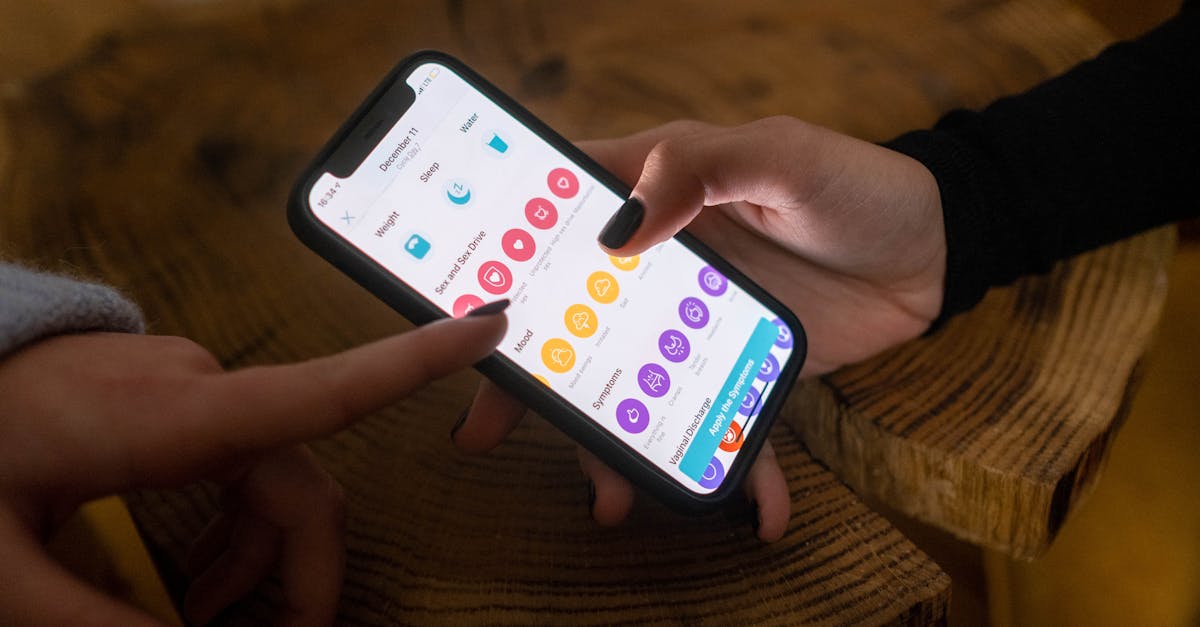
Apple’s accessibility nutrition labels are part of a larger trend: accessibility is becoming more visible, more comparable, and more relevant to trust. Users, buyers, and enterprise stakeholders increasingly expect transparency. Organizations that prepare now will be in a stronger position than those that wait for pressure from customers, procurement teams, or regulators.
For digital teams, that means shifting from “Do we have an accessibility initiative?” to “Can we prove accessibility is being managed responsibly across the lifecycle?”
If the answer is unclear, now is the right time to review your workflows, strengthen testing, and build a more continuous accessibility program.
Accessibility nutrition labels raise the bar because they bring accessibility information closer to the moment of choice. That makes accessibility more than a background compliance issue. It becomes a visible product signal.
If your product were evaluated through that lens today, would your team feel confident in what users would see? The organizations best prepared for this shift are the ones that can audit, fix, monitor, and document accessibility as an ongoing practice rather than a one-time project.
No. A label is only useful if it reflects the actual accessibility of the product. Teams still need testing, remediation, monitoring, and documentation to support what is communicated publicly.
They are especially visible in app marketplace contexts, but the broader lesson applies to websites and digital products too. Users and buyers increasingly expect accessibility information before they commit.
Start with a baseline accessibility audit, review the most important user journeys, prioritize high-impact issues, and put ongoing monitoring in place so progress can be maintained over time.
Digital products change constantly. New code, content, and third-party tools can introduce barriers after a launch or remediation project. Monitoring helps teams catch issues before they accumulate.
Mobile apps may surface accessibility labels, but websites usually do not. That means buyers rely on other signals to assess accessibility risk. Here’s what they typically review and how teams can prepare.
App store accessibility labels can help users make informed choices, but they also create risk when teams overstate what an app actually supports. Here’s why careful, evidence-based accessibility claims matter more than checking every box.
Corpowid has been recognized by Gartner, a leading global research and advisory firm, for our innovation and performance in digital accessibility. These badges reflect our commitment to creating inclusive, AI-powered web experiences.









 TR
TR